2. WAF Exclusion Rule
Security Event
Issue the following request to create a security event, and Retrieve the “support ID” that is displayed in the blocking page.
http://<assigned-namespace>.lab-sec.f5demos.com/headers/?username=%3Cscript%3Ewindow.open(%27hello%20world%27);%3C/script%3E
Navigate to
Web App & API Protection>Apps & APIs>Security, select the public-endpoint-load-balancer Load Balancer near the bottom of the screen, select theSecurity Events, and clickRefreshto view recent requests.
Click on “Add Filter” under Security events, and select
req_id
Select the Operator
In, and paste the support ID.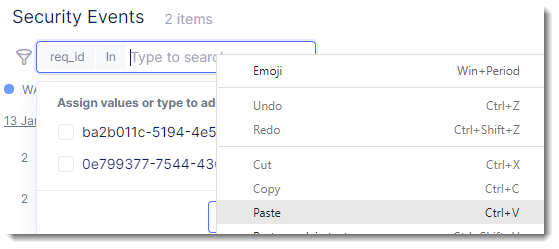
Click on
Assign a custom value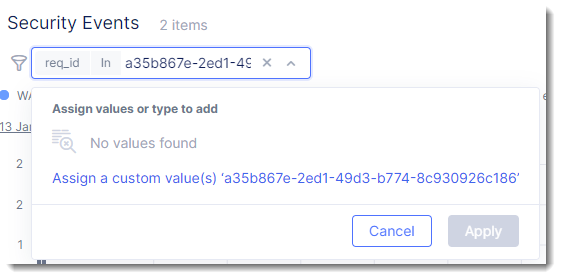
Create Rule
At the bottom of the page you should see the desired Security Event. Scroll to the far right to look for the “Actions” column and click on the three dots “…” and select “Create WAF Exclusion Rule” from the “Actions” menu.
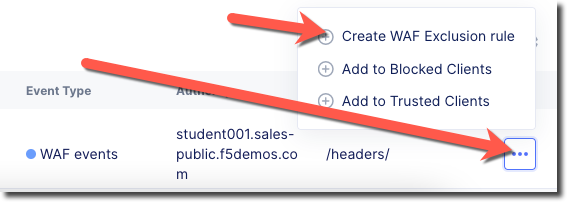
Click
 you will now be taken into “WAF Exclusion Rules” it should show as “Configured”, scroll to the bottom of the page and click on “Save and Exit”, note of the list of Signature IDs that are listed.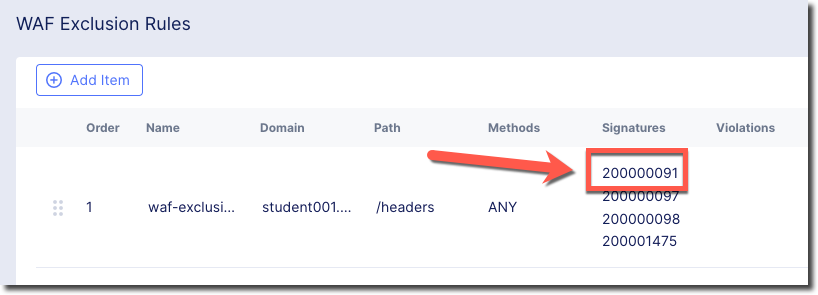
Retry visiting your site with the same URL to your [NAMESPACE].lab-sec.f5demos.com site
http://<assigned-namespace>.lab-sec.f5demos.com/headers/?username=%3Cscript%3Ewindow.open(%27hello%20world%27);%3C/script%3E
View Log
View requests that have been excluded from a WAF policy by observing the requests log.
Navigate to
Security Events, clickRequestsmenu item at the top of the page. Find a “GET” request for /headers/ and click on the arrow on the left of the date to expand the entry. Under “Policy Hits” you will see the WAF exclusion rule that was triggered.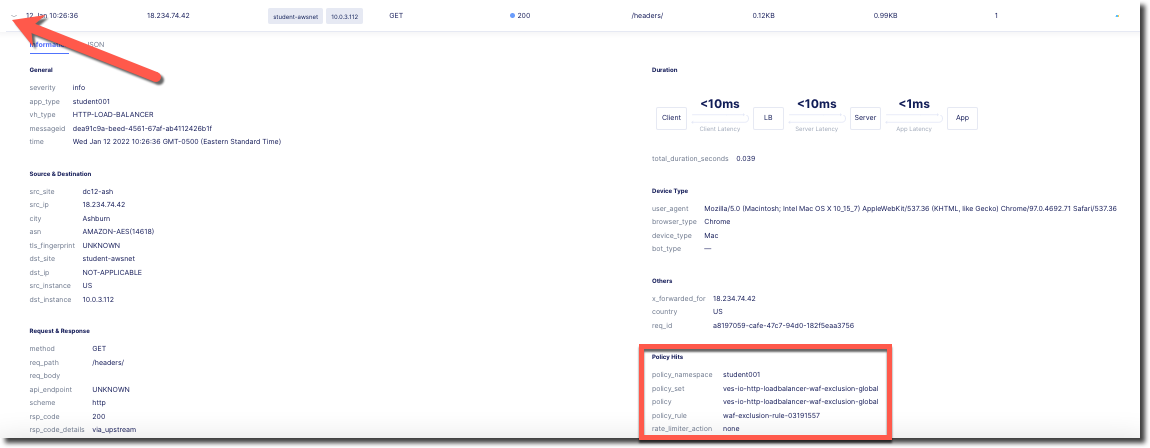
Visit the site with the a different URL to your [NAMESPACE].lab-sec.f5demos.com site. The request is blocked.
http://<assigned-namespace>.lab-sec.f5demos.com//txt/?username=<script>window.open(%27hello%20world%27);</script>